

 Home
HomeTrayBrowser
What is TrayBrowserWhy cannot this web page / application / interface / game / etc. just run as normal windowed application and sit in system tray, at my beck and call? Why does it need a browser, why do I have to switch tabs, keep another window open on taskbar, etc.? Yes, 'make it an application' can be useful but it is still a browser with its browser functions excessive for the application, and it does not sit in the system tray at all, so I need to toggle it, minimize it and more. Why couldn't they just make a normal tray-based application out of it instead of web client? Why can't I make my web application be just a windowed one easily? So that it loads from server, but works on the user desktop as normally as any other desktop application does? Why can't I make browsers sit in the system tray with an icon for it? Why do I have to learn another whole large nodejs framework for it, learn its complex API and redesign all my web application for its split and asynchronous application model? Why do I have to compile from monstrous nodejs bulk, manage and update it separately from its web representation? Why do I have to build my own native application from scratch if I don't want to use this framework? TrayBrowser solves both. You can load almost any web page into TrayBrowser and make it sit in the system tray, at your beck and call. If the page does not do anything nasty like opening additional tabs and popups, it will work properly under TrayBrowser just out of the box. Want to have your favorite forum there? Yes. Webmail? Probably yes. Some online game? It also should work, with a little setting to use your GPU enabled. Some online handbook? Yes. Anything else? Just try. It will most probably just run. For very simple use, you can just pass URL and some parameters from the command line, avoiding the need to write configuration file at all. With a minimal set of mostly optional settings, it loads your web application into embedded browser and makes it sit in the system tray, available to user anytime, presented like almost any normal tray-based application. With a just a minimal set of optional, mostly synchronous and simple API calls plus few optional events, you can resize its window as you see fit, show and hide it when required, and do more handy things, erasing the difference between web and native application. Of course it's not a panacea, it keeps things simple and does not give you in-depth access to the system like the one existing framework does, but it's enough for web-native applications to cross that desktop line and still be relying on just browser to do their job. TrayBrowser does not need web application to be redesigned. At all. Most of the time, single tabbed applications will run in TrayBrowser much like they would under normal browser. You do not even need to use any API calls and finetune most of the settings, actually you may be okay with just setting window size and supplying your application URL to run, relying on the other sensible defaults provided. TrayBrowser is more than just a tray browser- Resizing window from inside JS code to make sure it stays aligned with the interface needs? Yes, and it will also correct size according to screen scaling, defeating this usual issue of rightmost and bottommost document lines not being visible. It will also inform JS code about the actual size. - Non-standard tray positions in Windows? Yes. TrayBrowser does its best to detect where tray icons really are and snaps to their supposed location. TrayBrowser window can also be snapped to edges or centers instead of tray or just centered. Staying on top of other windows? Yes. Auto-hiding to tray when user clicks elsewhere? You name it. - Normal OS-like windows. Yes, window does not need to be borderless. It may have normal OS UI title bar and borders, no problem. It may have close button, with an option of handling it inside application JS code. It may have minimize and maximize buttons, automatic or also handled by application JS code. - Borderless windows. You want to draw all the application UI in browser including title bar and borders with your elements? Sure. But what about dragging such window by title bar? TrayBrowser supports custom drag region you may designate via its JS API to make sure movable but borderless window can be dragged. - How about windows being movable and not tied to tray ? Yes. Show on taskbar? Maximize? Yes. Minimize to taskbar? Yes. Can window with normal OS borders be resizeable by user like a normal OS window? Also yes! Getting some event when window gets resized to adjust UI? Absolutely. - Fullscreen and kiosk modes that are not user-controllable. Sure, TrayBrowser can do that. Either full work area or the whole monitor. Additionally, there is multi-monitor kiosk mode which allows browser to occupy the whole desktop. All monitors included. No more struggling with browser kiosk mode settings, it is as simple as just running TrayBrowser. - So, is there real multi-monitor support? Yes, and it is done to be more or less seamless. Tray-tied applications will show on the monitor tray icon is clicked on, and switch monitors on another click on tray icon on another one. Movable windows remember position or monitor to start on between TrayBrowser restarts. TrayBrowser won't allow window to size beyond monitor. TrayBrowser will (optionally) clamp window to monitor edges when it's moved, not allowing user to position window between monitors or out of monitor deliberately. Also there is native scaling support, so you size window in browser dots and not screen pixels, to make sure document size matches. Scaling is adhered to, even if different monitors have different scaling, fixed sized windows wil resize according to the active monitor scaling in order to maintain browser size. If you are doing something tricky (i.e. some game that does not need browser to scale it), scaling support behavior optionally can be attuned a little or scaling can be ignored completely, displaying content at real monitor pixel size. Also, monitor and scaling changes are detected and accounted for. - Changing window title? Yes. Tray icon hint? Yes. Adding elements to tray icon menu? Yes. Even hiding tray icon and making non-tray application window that i.e. exits on normal close button press? Not a tray browser already, but yes, this is absolutely possible. Native tray icon notifications? Sure thing. - Changing window settings on the fly? Borders? Buttons? Entering and exiting fullscreen mode? All yes. Most of the window settings and some of the application settings are all tunable on the fly, right from the application. Some vital settings are protected though to avoid obscure use. - What about browser functions? Right-click menu is disabled by default and you can handle right clicks from the application in a normal JS way. Drag-and-drop is supported. User-initiated refresh can be enabled or disabled. Browser search function can be enabled or disabled. Cut-copy-paste can be enabled or disabled. Printing option, also with auto-print without waiting for user to click on Print button in browser. Download function can be disabled. Even whole TrayBrowser API can be disabled to make sure loaded page cannot use any TrayBrowser JS API. Certificate errors can also optionally be ignored (useful for some legacy applications). Running native browser debugging interface to debug application? Can be enabled optionally. Changing User-Agent header contents? Yes, definitely. Enabling browser GPU acceleration support for putting online web-based game into fullscreen or kiosk mode? Yes, this can also be enabled, but to keep power usage sane, it is disabled by default. Websockets, audio and video support? Yes (although codec set is free from patented ones). Everything that CEF/Chromium embedded browser can normally provide is technically there. - And what about multiple windows? YES! TrayBrowser supports working with multiple windows. Yes, you can use multiple independent windows in your application, opening and closing them when necessary, like native applications do. Sending arbitrary text messages between windows is also possible with the simple TrayBrowser JS API. - Command line control? Yes. On start, command line (except TrayBrowser own settings set via one if allowed) is passed to the application. Besides showing on being started for second time, TrayBrowser allows you to send command line arguments passed to the running instance, and thus make already running application perform some actions depending on the arguments passed to the executable. - Possibility to separate browser storage between different applications and place them into the user profile / home directory under directory with name related to the application? Totally. Can we clear cookies and cache on start / exit? Yes, although it takes some little but noticeable machine time to do so. - Customizability and branding? Custom application and tray icon can be loaded. Settings and icon can be embedded inside the TrayBrowser executable or provided in separate configuration files, and even at multiple levels of such. Texts (including default error page) can be changed. Etc. - So how complex is to configure and use all this? Not complex at all. Just a bunch of simple and mostly optional settings, extremely simple synchronous JS API, optional to use, and a minor set of events to optionally handle from the web application. That's all it takes to cross the desktop application boundary. And again, all is optional, there is totally nothing mandatory to set and use except the application / web page URL. - And there is still more. Check configuration parameters (settings) and API reference to see what else TrayBrowser can do. - So, is this all free and opensource, available for me to take and use for my purposes? Surely so. TrayBrowser own source code is licensed under permissive 3-clause BSD license and is made publicly available. TrayBrowser binaries are freely available for download, reuse and redistribution. Integrated components, including browser and other libraries, have opened source as well and allow redistribution by their respective licenses. So it all is as open as it can be. What is not there yet?- Cross-platform support. Windows support is polished. Internally, TrayBrowser is more or less ready for porting to other platforms as it's mostly written in cross-platform code, but as Windows, Linux and MacOS each have their own quirks related to UI and window handling, as Linux platform is highly fragmented, and as I don't have MacOS based PC to test this on, seamless cross-platform support remains a short term but still unimplemented yet goal. Also Linux will probably require you to compile TrayBrowser for your distribution yourself. But don't fret, sooner or a bit later TrayBrowser will be able to do almost everything it does under these major platforms as well. - External .dll/.so extensibility for integrating TrayBrowser JS API to native code, providing advanced functions for applications. Yes, this is already planned, but I need to design and implement cross-platform API that will allow seamless loadable library integration and settings extensibility, write some sensible samples for this and then polish and publish. I may tell one thing that is planned for sure: loadable library based request interception, so content can be loaded right from local .zip file(s) instead of server. This one is also planned to be published as soon as it is complete. - Certainly there's much more left to be desired. More browser options, more settings, more API function, more of everything. This will come based on possible requests (no, I am not promising to handle any, but if I have time and it's interesting, there always can be a thing or two for consideration) or some handy features I see for my own purposes. DownloadLatest TrayBrowser version available can always be downloaded from the top of this page (look at the top right corner, the Download section) or right from here:
Source code can be obtained from https://github.com/AlexAT/traybrowser public repository. Release history will also be available in the repository releases list for all stable releases (beta, preview and release candidate versions will not be published there). The latest Windows x86-64 development version can be downloaded right here: (currently it is the same as generally available version). Please take care this version may contain some bugs yet unknown looming. Quick start[to be written] Moving forward[to be written] For web application developers[to be written] Under the hood[to be written] Version 3.0 already? Yes. This is indeed a third generation of TrayBrowser, with each major version denoting significant platform change. The very first one, the very proof of concept and the idea, was written in 2010 for my own purposes, Windows-only without any hints to being cross-platform and based on embedded IE browser ActiveX component. The second one was based on Electron but had a lot of quirks, never reaching the original TrayBrowser level of robustness and thus was not viable to publish. None of them supported multiple windows and this much options even closely, both required a bunch of hacks to size window properly, and both lacked multi-monitor and scaling support. While version 2.0 was never ever published, version 1.1 code and binaries were actually made available at SourceForge in 2015. This one (3.0+) is a full and thorough rewrite from scratch (yes, none of the prior versions code was reused), designed to be totally usable and fully open to the public. Licensing and branding[to be written] Building from source code[to be written] Extending TrayBrowser[to be written] Support[to be written] Patches, feature requests and suggestions[to be written] Thanks and greetings[to be written] |
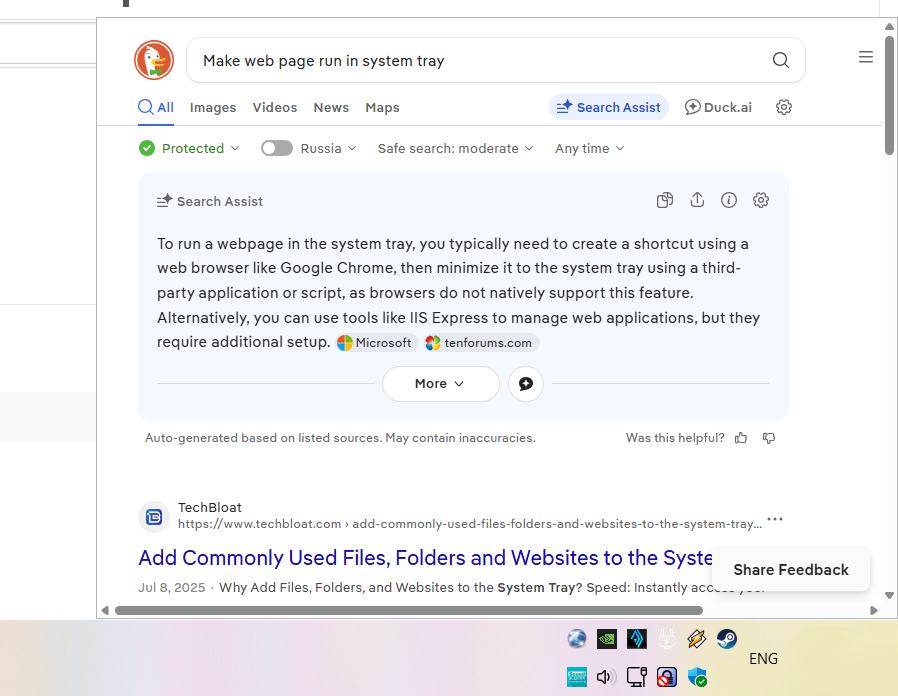 TrayBrowser in action 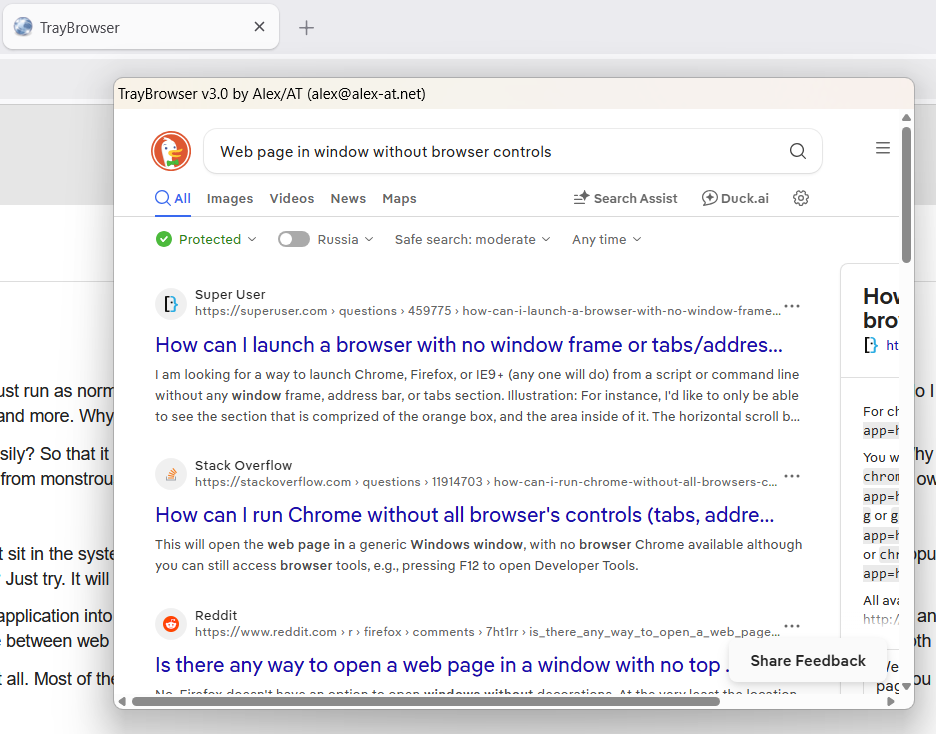 Also TrayBrowser, but in a movable window with OS taskbar and borders 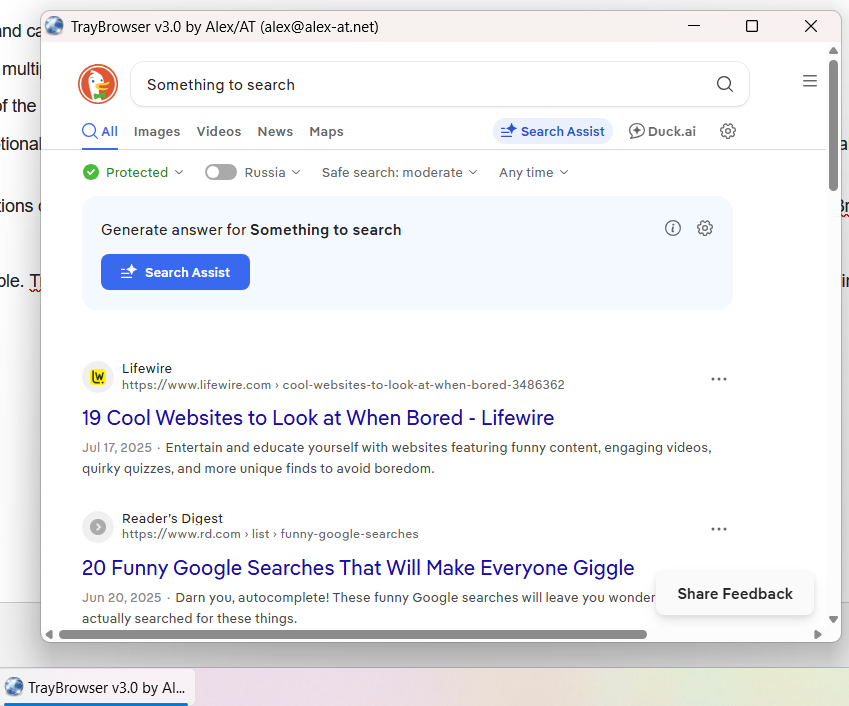 And another TrayBrowser, on taskbar and with normal OS window buttons enabled 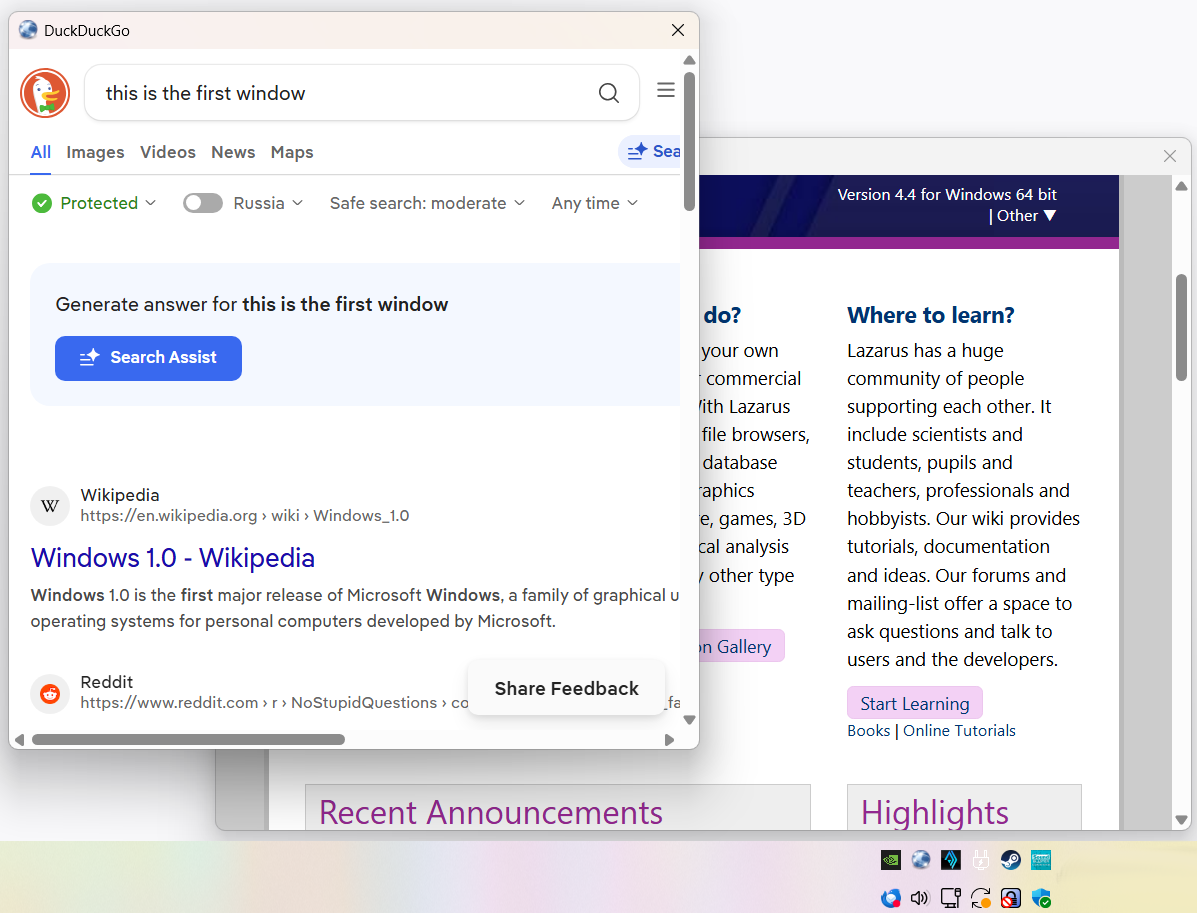 Yes. This is also TrayBrowser. Your application can create and manage multiple windows. [add more] | ||||||||||